
Hotel alarm clocks with battery backup do not necessarily keep every function running when the outlet loses power. Depending on the model, the battery may preserve the clock and alarm settings, keep an audible alarm working, or support additional functions. A dark display can coexist with a working alarm. A clock that shows the correct time after reconnection has demonstrated time retention, but it has not demonstrated that it would have awakened a guest while the electricity was off.
That distinction matters when a traveler sets an early alarm for a flight, a conference, or a work shift. It also matters during purchasing: two bedside clocks can carry similar backup descriptions while offering different outage behavior. USB charging, wireless charging, radio playback, display illumination, and snooze should each be treated as separate capabilities until the exact product documentation and a sample test establish otherwise. Battery condition and correct installation are part of the result.
For a hotel buyer, the useful question is therefore specific: will this approved model sound the required alarm, after the required period without outlet power, with the specified battery and room configuration? The test must cross the scheduled wake-up time while power is still disconnected. Restoring power before the alarm is due misses the central question. Reconnection deserves its own observation because a retained alarm, a changed sound, and an unexpected restart create different guest experiences.
This guide provides a proposed purchasing and maintenance procedure for ordinary bedside wake-up clocks. It is not a report of laboratory tests or measured product rankings. The example timings are planning choices, not industry certification requirements or promises of battery life. Use the procedure to define a sample approval requirement, record what actually happens, and keep those requirements aligned with the room’s broader in-room appliances and electronics specification. Emergency notification systems and specialized accessible wake-up equipment require their own assessment.
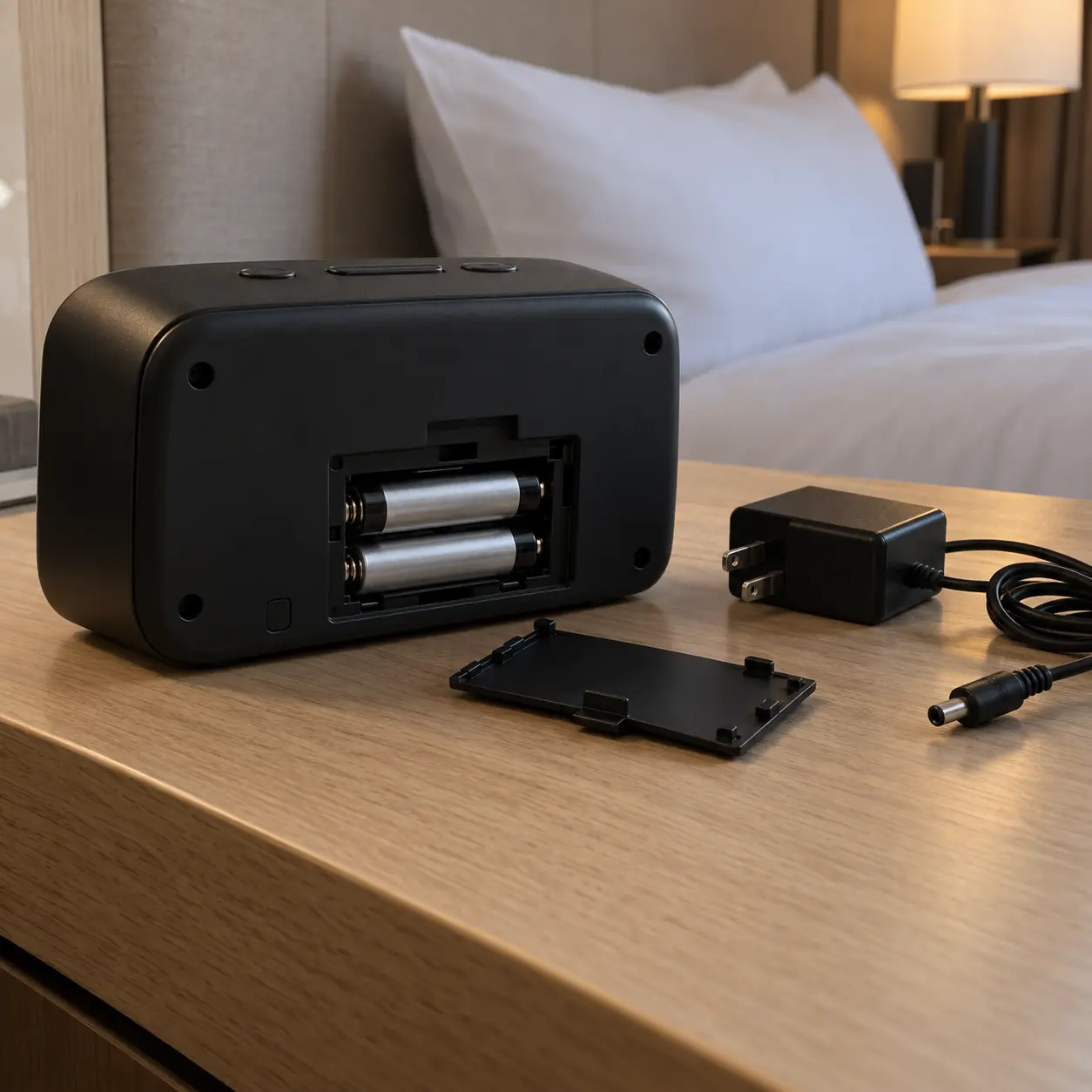
What Battery Backup Actually Keeps Working
Treat backup as a list of functions rather than a single yes-or-no feature. Timekeeping, stored alarm settings, audible output, display visibility, and guest charging can behave differently after power is removed. Some designs deliberately switch off the display while retaining time and sounding a buzzer. Others describe only settings retention, which is insufficient evidence of an audible wake-up during the interruption. Establish the promised behavior for the exact model and revision before testing. Then compare the observed behavior against the hotel’s requirement, rather than judging the product solely by whether its screen remains illuminated.
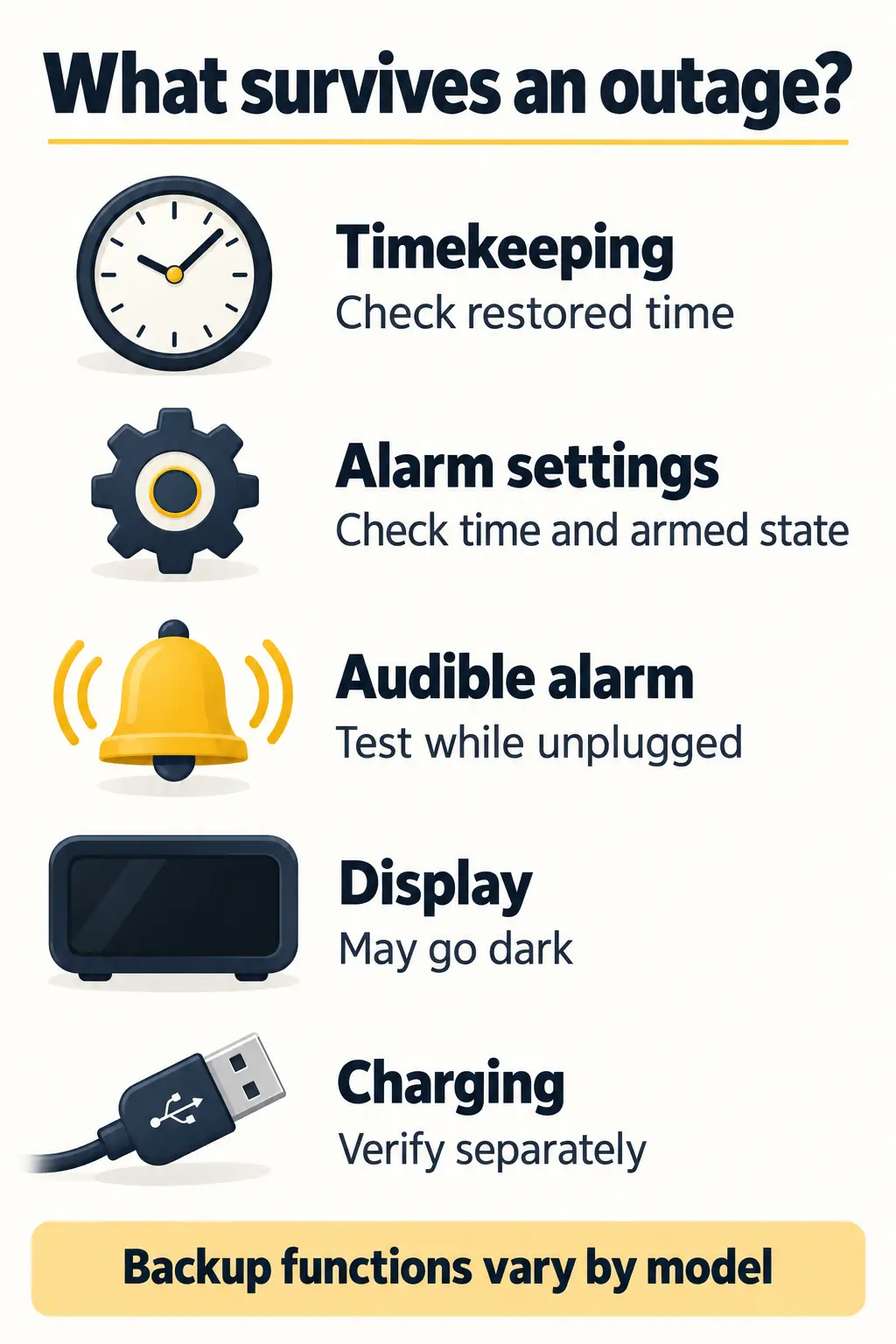
Separate memory from an audible wake-up
Settings retention means the selected time or alarm information survives the interruption. Audible backup means the clock can actually produce the wake-up sound without external power. These are different requirements. If the supplier states only that settings are saved, request an explicit answer about sounding the alarm while unplugged. Do not upgrade an ambiguous specification into a stronger promise. For example, the iHome iBN19 instruction manual (printed pages 11–12) documents time and alarm retention plus a working buzzer, while the display stays off and USB charging requires a powered outlet. This is a model-specific example, not a specification for every hotel clock.
| Function | What to observe during the outage | How to interpret it |
| Timekeeping | Compare the clock with an independent reference after power returns. | Correct restored time supports time retention; it does not prove alarm output. |
| Alarm memory | Check the alarm time and armed state after reconnection. | Stored time and an enabled alarm are separate details. |
| Audible alarm | Leave power disconnected across the scheduled alarm time. | Record sound, start time, duration, and the ability to stop it. |
| Display | Observe illumination and any available display controls. | A blank display alone is not evidence that the alarm has failed. |
| Snooze and stop | Operate each control while the alarm is sounding on battery. | Do not assume the mains-powered behavior continues unchanged. |
| USB and wireless charging | Observe the connected device and verify charging separately. | Do not treat a clock backup cell as a phone power bank. |
Check the sound source and the recovery behavior
A clock configured for radio or Bluetooth may use a buzzer during an outage. A model that provides this fallback can meet an audible-backup requirement even though the selected entertainment source is unavailable. The fallback still needs to be understandable and usable in the actual room. Test every sound mode the property intends to offer, including the behavior when a paired phone is absent. The Sony ICF-C1T Operating Instructions provide a concrete example: a radio alarm changes to a buzzer during an interruption. That model also has specific snooze and power-restoration behavior. Check those instructions for that model; do not transfer its behavior to another clock.
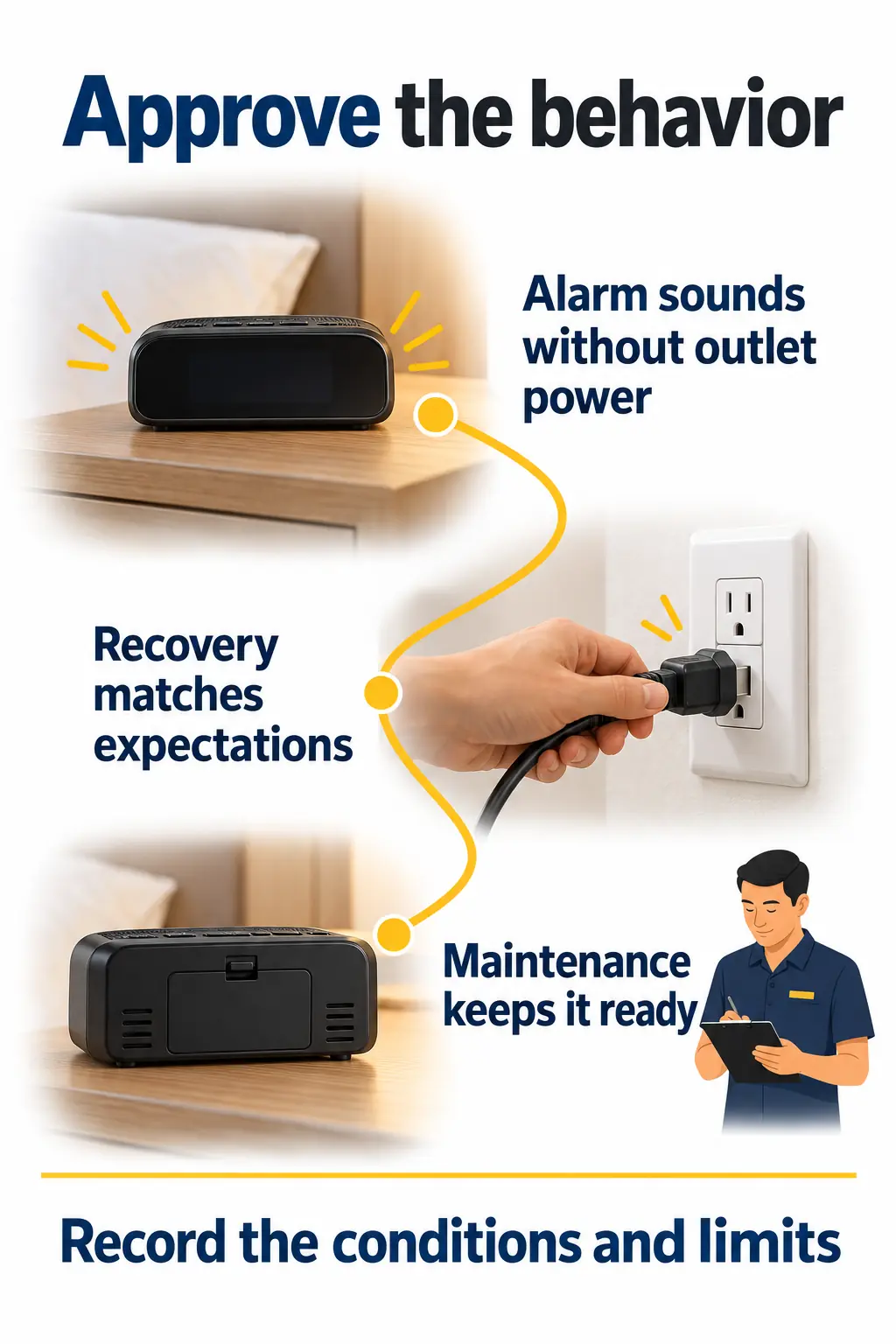
Record what happens when power returns before the alarm, during the alarm, and after the scheduled time. Do not assume that a missed alarm will sound later, that a sounding alarm will continue unchanged, or that a dismissed alarm will remain dismissed. Those outcomes belong in the model’s approval record. A generator serving other areas of the building does not establish that this bedside outlet remains powered.
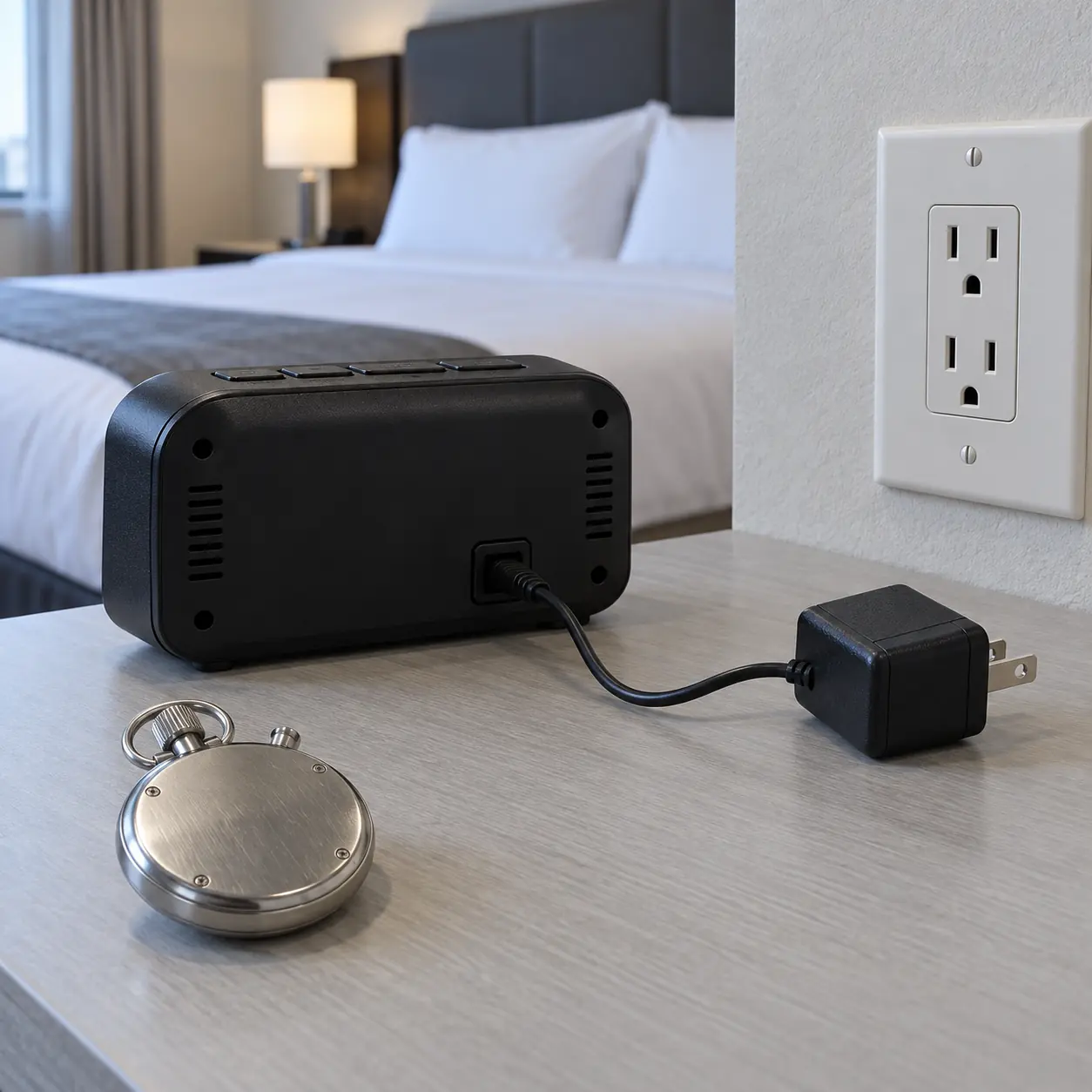
Run an Outage Test That Crosses the Alarm Time
The essential test is simple: arm the clock, disconnect its normal power supply, and leave it disconnected until the alarm has had an opportunity to sound. A useful evaluation also records the battery, settings, elapsed outage time, and recovery behavior so another employee can repeat it. Start in an unoccupied sample room or controlled work area with the supplied adapter and intact equipment. Choose pass criteria before starting. The procedure below is a proposed hotel acceptance checklist; it establishes behavior under recorded conditions and cannot certify unlimited runtime or the reliability of an entire shipment.
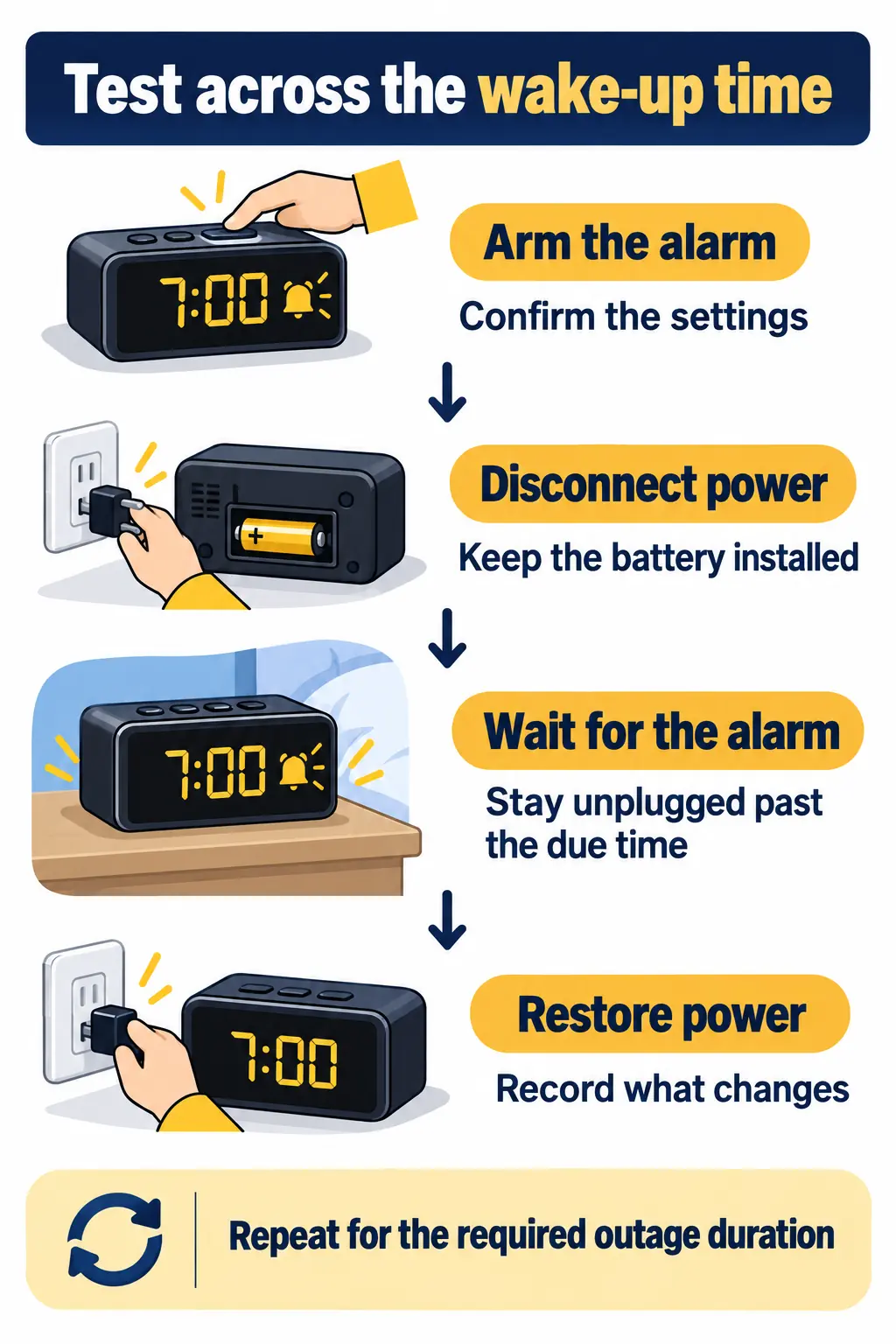
Define the test conditions before unplugging
Record the property, tester, date, unit identifier, model or revision, adapter, battery type and installation date, alarm mode, volume setting, and room placement. Compare time against an independent battery-powered reference. Record its time zone and AM/PM format. Decide the required outage duration and acceptable timing error in advance. If the display shows minutes only, do not claim second-level timekeeping accuracy from it.
For an initial screening, set an alarm five minutes ahead and remove outlet power one minute later. Keep power off through the scheduled event. This tests roughly four minutes of backup before the alarm; it does not demonstrate overnight endurance. If the property requires an eight-hour interval, conduct a separate eight-hour trial with the alarm due near the end and power still absent. Eight hours is an example requirement to agree with the supplier, not a universal standard.
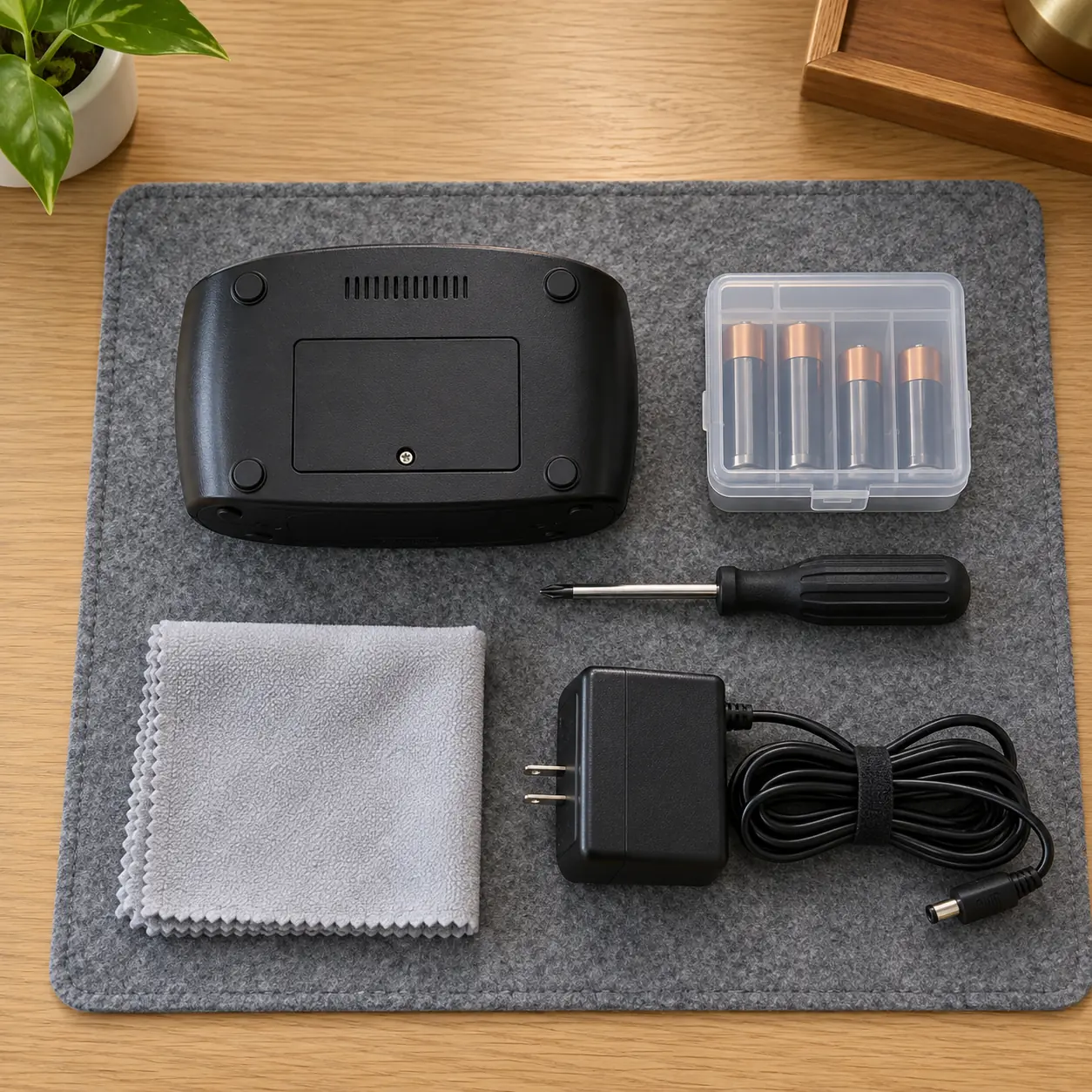
Disconnect only the clock’s accessible supply in the manner allowed by its instructions. Do not open the housing, alter wiring, create a brownout, or interrupt an occupied guest-room circuit for this exercise. Keep required batteries installed and the battery door secured. Controlled voltage-quality testing, when needed, belongs with suitably equipped technical personnel.
Hotel alarm clock acceptance checklist
Use one record per unit and test configuration. For each row, enter the observed result, Pass, Fail, or Not tested, and any corrective action with an owner. A row marked Not tested remains unresolved. Agree any genuine exclusions in writing before approval; do not use an exclusion to bypass the hotel’s audible-backup requirement.
| Check | Required observation or record | Acceptance basis |
| Identity and baseline | Record unit, model/revision, adapter, battery, settings, tester, and date. Confirm normal-powered alarm. | Matches the proposed supplied configuration; baseline works. |
| Battery readiness | Check specified cell, correct installation, activation tab, door closure, and any warning. | Installed as instructed; no unresolved low-battery warning. |
| Short interruption | Set alarm five minutes ahead; disconnect one minute later; remain unplugged past due time. | Audible alarm meets the agreed timing and sound requirement. |
| Display and controls | Observe display; test stop and snooze during the battery-powered alarm. | Behavior documented and matches required guest functions. |
| Sound fallback | Repeat each intended alarm mode with unavailable external audio where relevant. | Approved fallback or limitation is confirmed. |
| Required duration | Run a separate trial for the agreed outage duration; alarm due near its end. | Alarm sounds while power is absent; actual duration recorded. |
| Charging | Check USB and wireless charging during the interruption, where fitted. | Actual behavior recorded; meets any separately specified requirement. |
| Power restoration | Use separate trials restoring power before, during, and after the due alarm. | Time, armed state, sound, and restart behavior match agreed criteria. |
| Battery service and reset | Follow the approved battery replacement procedure; restore settings and repeat the alarm test. | Service completed, door secured, settings checked, and retest passed. |
| Room release | Verify local time, intended alarm state, room placement, and completed actions. | No required test unresolved; responsible approver signs the record. |
Interpret failures without hiding them
If the time is correct after reconnection but no alarm sounded during the interruption, record an audible-backup failure against that requirement. Check the armed state, AM/PM setting, battery activation tab, polarity, battery condition, and documented sound behavior. Correct the identified setup issue and repeat the affected trial. Keep the original failure in the record so a setup problem is not silently reclassified as a first-pass result.
If the display goes blank but the buzzer sounds on schedule, record those as two separate outcomes. If USB charging stops, compare that observation with the charging specification; it does not automatically invalidate a clock-only backup requirement. If the unit resets after reconnection, document what was lost, investigate the battery and settings, and repeat both the alarm and recovery observations.
Keep the evidence proportional: a continuous time-stamped video of the short trial can show the disconnected supply and sounding alarm, while a longer trial needs a reliable record of elapsed time. Reconnecting before the due time, briefly pressing an alarm preview button, or checking only the restored display cannot establish that the scheduled alarm works through an outage. Testing several independently identified samples is more informative than repeating one ideal demonstration, but it still does not establish a statistical shipment defect rate.
Specify and Maintain the Behavior You Approved
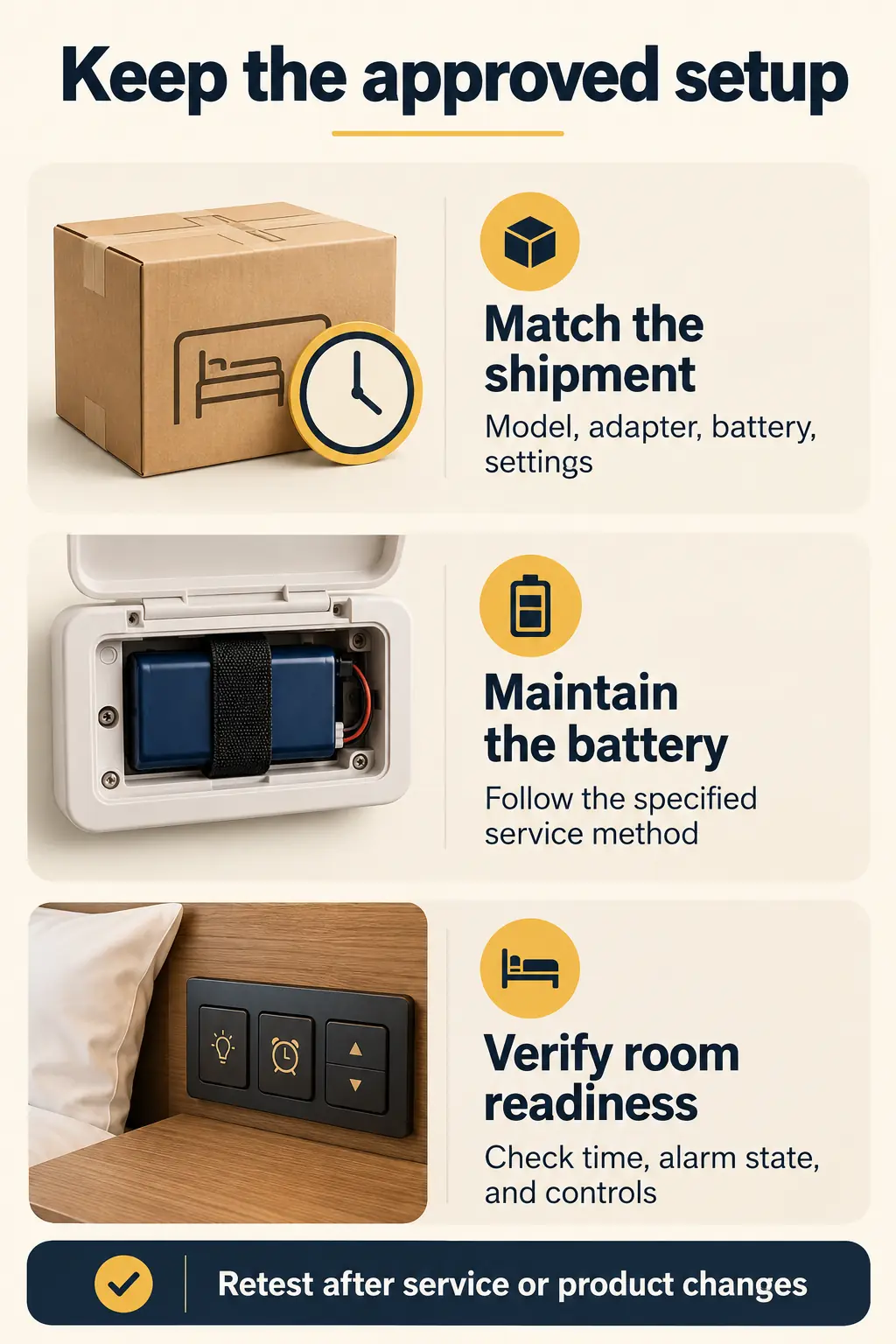
Purchase the tested behavior as part of a defined configuration, then maintain the conditions that made it work. A working sample is only a useful reference if the delivered clock, adapter, battery, firmware or revision, and settings match it. Require written notice of substitutions that could affect backup operation. Maintenance must also cover battery condition and the guest’s alarm state, because a correctly designed clock can become unreliable through depleted cells or incorrect setup. Keep the process practical enough for housekeeping and engineering to repeat, with a clear route for removing a failed unit from service.
Put measurable requirements in the quotation request
Specify an audible alarm during loss of outlet power, the required duration before the scheduled alarm, the accepted fallback sound, and the controls that must remain usable. State separately whether a visible display or powered charging is required. Ask for battery chemistry and size, whether batteries are supplied, the activation procedure, documented replacement instructions, low-battery indication, and commercial-use warranty terms. Price the complete configuration, including the correct adapter and any installation hardware.
A useful specification might read: the approved configuration must retain time and alarm settings and sound its audible alarm while disconnected from normal power for the agreed test duration; the supplier must identify any functions unavailable on battery and demonstrate recovery after reconnection. Fill in the duration, timing tolerance, sound expectations, and test conditions before issuing the purchase order. Avoid claims such as ‘outage-proof’ that conceal the boundary of the test.
Confirm the voltage, frequency, plug, and applicable product-safety documentation for the destination property in Canada or the United States. Keep this review connected to the safety and accessibility review for guest-room supplies. Ordinary audible clocks do not establish that every guest’s wake-up needs have been met; assess visual or vibrating options separately where needed.
Prevent batteries from becoming an invisible failure point
Use the battery type and replacement method specified for the exact clock. Do not assume that a rechargeable cell can replace a primary battery or that the clock recharges its backup battery. Some models require normal power to remain connected during battery replacement to retain settings; follow the product’s instructions instead of applying one rule to every model. Keep spare cells secured, particularly small coin or button batteries, and confirm that the compartment closes properly after service. For the iBN19, the official battery-replacement instructions specify a CR2450 cell and keeping AC power connected during replacement to preserve settings.
There is no single replacement interval justified by the words battery backup. Set an inspection and replacement schedule using the manufacturer’s instructions, the low-battery indication, outage history, and the property’s records. Log the battery installation date and repeat the functional check after replacement or a reported clock failure. A fresh-battery sample test cannot establish performance near the end of the battery’s service life.
At room turnover, confirm the correct local time and use the documented method to clear the departing guest’s alarm. A single-day alarm feature can reduce unwanted repeat alarms, but staff still need to understand and verify it. Coordinate this with the needs of extended-stay guests so routine service does not silently cancel an alarm they expect to use. Include daylight-saving settings and any regional automatic-time feature in commissioning.
Compare maintenance effort alongside unit price
Estimate the annual backup-maintenance workload as the number of clocks multiplied by planned services per year and minutes per service. As an illustrative calculation, 150 clocks serviced twice annually at four minutes each require 1,200 minutes, or 20 staff hours. Those figures are assumptions, not measured KW Hospitality results. Add battery cost, access time, failed-unit replacements, and spare stock to the purchasing comparison.
A lower-priced unit that takes longer to access or reset may cost more to maintain. Conversely, additional wireless features provide little value if guests struggle to arm the alarm. Compare the sample in its actual bedside position, including dimmer access, cable routing, cleaning access, and whether the wake-up controls can be used without moving the furniture. Repeat the agreed incoming checks when a new batch or revision arrives.

Conclusion
Approve hotel alarm clocks with battery backup by the functions they preserve under a documented interruption. The decisive evidence is an alarm sounding while normal power is still absent, followed by acceptable behavior when power returns. Correct restored time alone is insufficient. Separate display and charging expectations from the wake-up requirement, test the duration the property actually needs, and preserve the approved model and settings in the purchase specification. Assign battery inspection and alarm-reset responsibilities before rollout. This gives purchasing and operations a shared basis for approval without turning a limited sample test into an unsupported reliability guarantee.
For a defined hotel project, request an alarm clock sourcing quote from KW Hospitality. Include the room count, delivery city, required-on-site date, voltage and plug, preferred controls, battery-backup functions, target outage duration, and completed sample-test requirements. Ask the team to review available configurations and sample arrangements against those requirements before a bulk order.
Frequently Asked Questions
Can a hotel clock with a blank screen still sound its alarm?
Yes, some models turn off the display during a power interruption while retaining time and operating a buzzer. A blank screen is therefore not a sufficient diagnosis. Leave the normal supply disconnected across the scheduled alarm time and record the audible result separately from display visibility.
Does a successful short test prove that the clock will work overnight?
No. A short test demonstrates only the elapsed interval and conditions recorded. Run a separate trial for the hotel’s required duration, with the alarm due near its end. Battery age, settings, temperature, and repeated alarm use can affect the available runtime.
Will a Bluetooth alarm still work if the guest’s phone is unavailable?
The result depends on the clock. A documented buzzer fallback may operate, but Bluetooth playback should not be assumed to continue. Test the intended alarm mode with the phone disconnected as well as with outlet power removed.
Can the backup battery charge a guest’s phone?
Do not assume it can. A small clock backup battery may support only timekeeping and the alarm. USB and wireless charging need their own power specification and test; a charging icon observed before the interruption is not evidence of charging during it.
Is a building generator enough to skip the battery test?
No. Confirm whether the specific bedside outlet is served, how transfer affects it, and what happens if the clock is unplugged. A battery test addresses the clock’s behavior without its normal supply and remains distinct from verifying the building’s backup-power system.
Should staff guarantee that the bedside clock will wake every guest?
No sample test can establish that guarantee. Record the clock’s performance and limits, provide clear operating instructions, and assess individual accessibility needs separately. Where the hotel offers another wake-up service, verify its outage arrangements independently rather than assuming the phone system stays available.